Team messaging

When the plan changes, tell everyone at once.

When weather changes the plan, tell your staff, athletes, and families at once. Anyone can join your team and receive messages for free, without a paid plan of their own.

See it work

From the alert to every phone

Team notifications

One tap reaches the whole team

Illustration
An illustration of a team message. A clear the field alert reaches the coach. The coach opens the Varsity Soccer team, picks Practice cancelled, adds the detail Lightning detected, and taps Send to 18 people. Within seconds the assistant coach, athletic trainer, athletes, and parents all get Varsity Soccer: Practice cancelled on their phones, and the coach sees Delivered to 21 devices across 18 people.

Your whole program

Messages and coverage, shared

Team messaging and admin seats come with the Team and Organization plans.

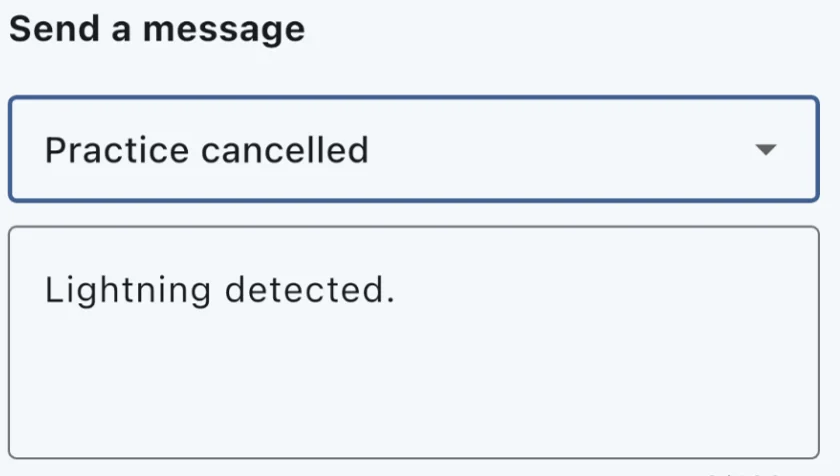
The Send a message screen with Practice cancelled chosen and the message Lightning detected.

Team notificationsTeam and up

Create a team in the app or on the website and share its join code or QR code. Pick a message like Practice cancelled, add a detail, and send it to everyone at once. You see how many phones it actually reached.

Free to receive

Parents, athletes, and staff join with the code and get your messages without paying for anything. Each person can mute team messages in their own settings.

Shared coverageTeam and up

Add admins to manage fields together: 2 on Team and 4 on Organization, with more available as an add on. Everyone shares one field list, and each coach picks the fields and hazards they want alerts for.

Not a weather alert

Team messages arrive as ordinary notifications with their own sound, and their own channel on Android. They never use the critical alert sound reserved for clearing the field, so a message about practice times can't be mistaken for a lightning warning.

FAQ

Common questions

Can my whole coaching staff use one account?

Yes. Team and Organization plans include admin seats: you invite a coach by email from the Admins page on the website, they sign in with their own login, and they see and manage the same fields you do. Everyone on the account shares one field list and one set of monitoring slots, and each coach chooses their own alerts. See Pricing for admin limits by tier.

How do I message my team or families?

On the Team and Organization plans, create a team in the app or on the website and share its join code or QR code. Anyone can join and receive your messages for free, without a paid plan of their own. Send a quick update like a cancelled practice to everyone at once.

Keep your whole team on the same page

See plansTeam messaging comes with the Team and Organization plans.